

How to create realtime alerting and communication system using a best-of-breed solution
One of the main benefits of building with Next.js is the ease of leveraging APIs and components to quickly integrate with best-of-breed, backend technology.
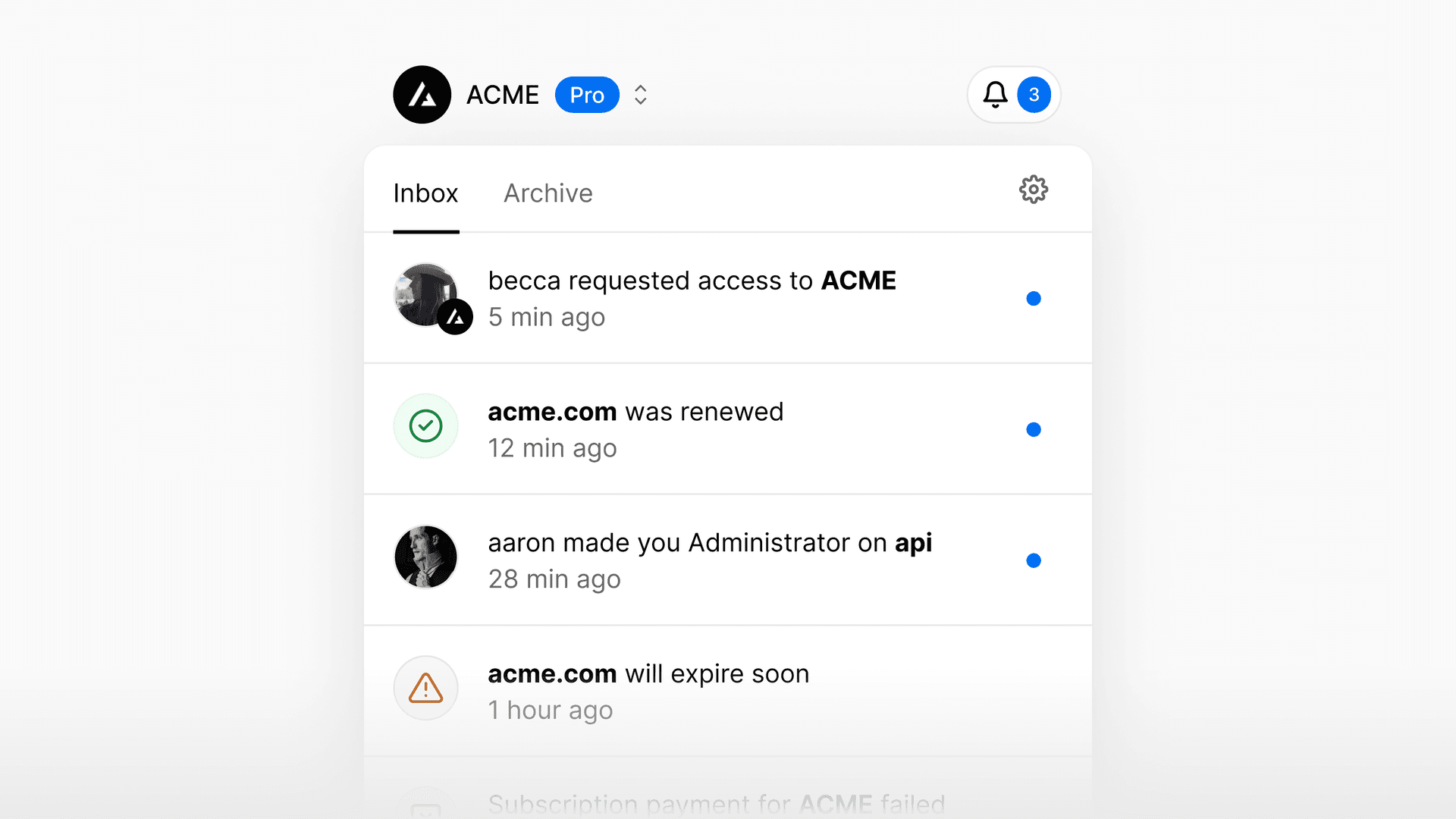
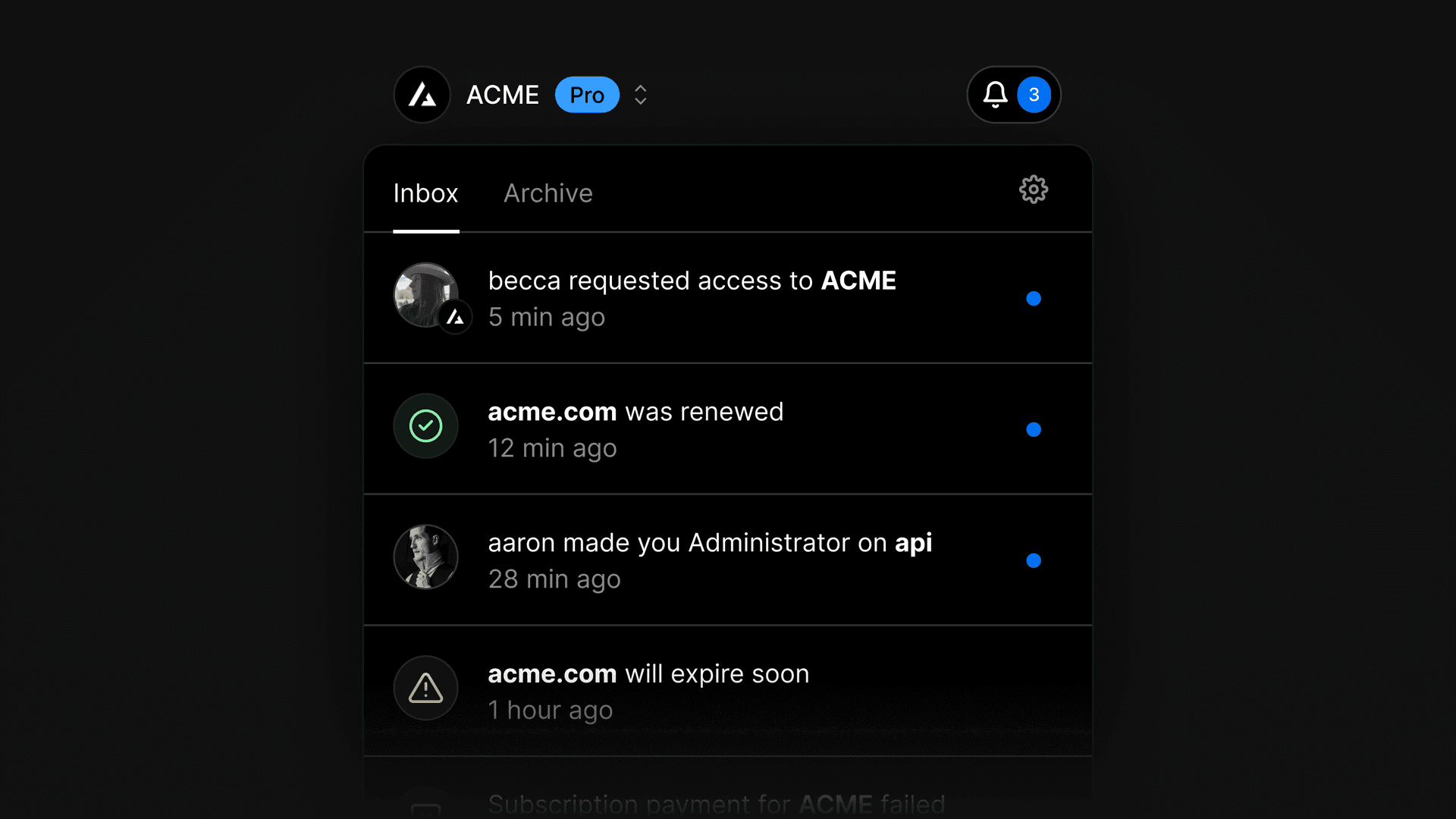
Today released our new notification system as a public beta, made possible with the help of our integration partner Knock, their powerful API, and robust component library.
This post will cover how we chose and implemented Knock for our notification center, and how you can use Knock to build notifications into your own application.
Link to headingThe case for Knock
The first step in building our new notification system was to evaluate our technology options and choose a path forward. As we considered the infrastructure we wanted to build our system on top of, we knew we needed a platform that could match our needs for iteration speed, reliability, and observability. We needed a tool that let us:
Leverage our design and component system
Create custom, flexible notifications
Scale with our user base without added complexity or configuration
We needed to implement a solution quickly, but given this was a highly requested feature, we also knew we needed a system that was flexible enough to adapt to our needs today and in the future.
We decided on Knock—a flexible, reliable notifications API.
Knock gave us a set of primitives to use in building our notification system, from notification preferences to real-time, per-user, in-app feeds and batching. Knock’s dashboard also gave us a single place to observe the system and see the full range of notifications we were sending to customers.
const { Knock } = require("@knocklabs/node");const knock = new Knock(process.env.KNOCK_API_KEY);
await knock.workflows.trigger("new-comment", { recipients: ["1", "2"],
// optional data: { "project_name": "My Project" }, actor: "3", cancellationKey: "cancel_123", tenant: "jurassic_world_employees"});Workflows are triggered via a call to the trigger endpoint, which tells Knock to run a specified payload of recipients and data through the workflow specified by the call.
Link to headingUsing Knock at Vercel
Of the many notification systems we evaluated, Knock was the easiest to get started with. With Knock we had an in-app feed demo working in less than an hour. (Knock now has its own demo online, powered by Vercel.)
The out-of-the-box features that Knock provides, like their React library, allowed us to create our own React components and easily interact with the notification feed and user preferences. Because of this, we were able to create multi-channel notifications effortlessly, where we can trigger a “workflow” with variables and allow users to customize on which channels they receive notifications.
import { KnockFeedProvider } from "@knocklabs/react-notification-feed";
// We'll write this nextimport NotificationToaster from "./NotificationToaster";
const NotificationToastProducer = () => { // An example of fetching the current authenticated user const { user } = useCurrentUser();
return ( <KnockFeedProvider apiKey={process.env.KNOCK_PUBLIC_API_KEY} feedId={process.env.KNOCK_FEED_CHANNEL_ID} userId={user.id} > <NotificationToaster /> </KnockFeedProvider> );};Knock's React Component library makes setting up new components simple. We're able to maintain control over the code, while still leveraging a powerful notification tool in the backend.
Using the Knock dashboard and its workflow editor with live previews, we built layouts and workflows for each alert, giving users a real-time notification feed powered by Websockets and packaged with React hooks. Once a new notification is live in Knock, we can use the dashboard’s analytics to debug any potential issues and evaluate how our new notifications are performing.
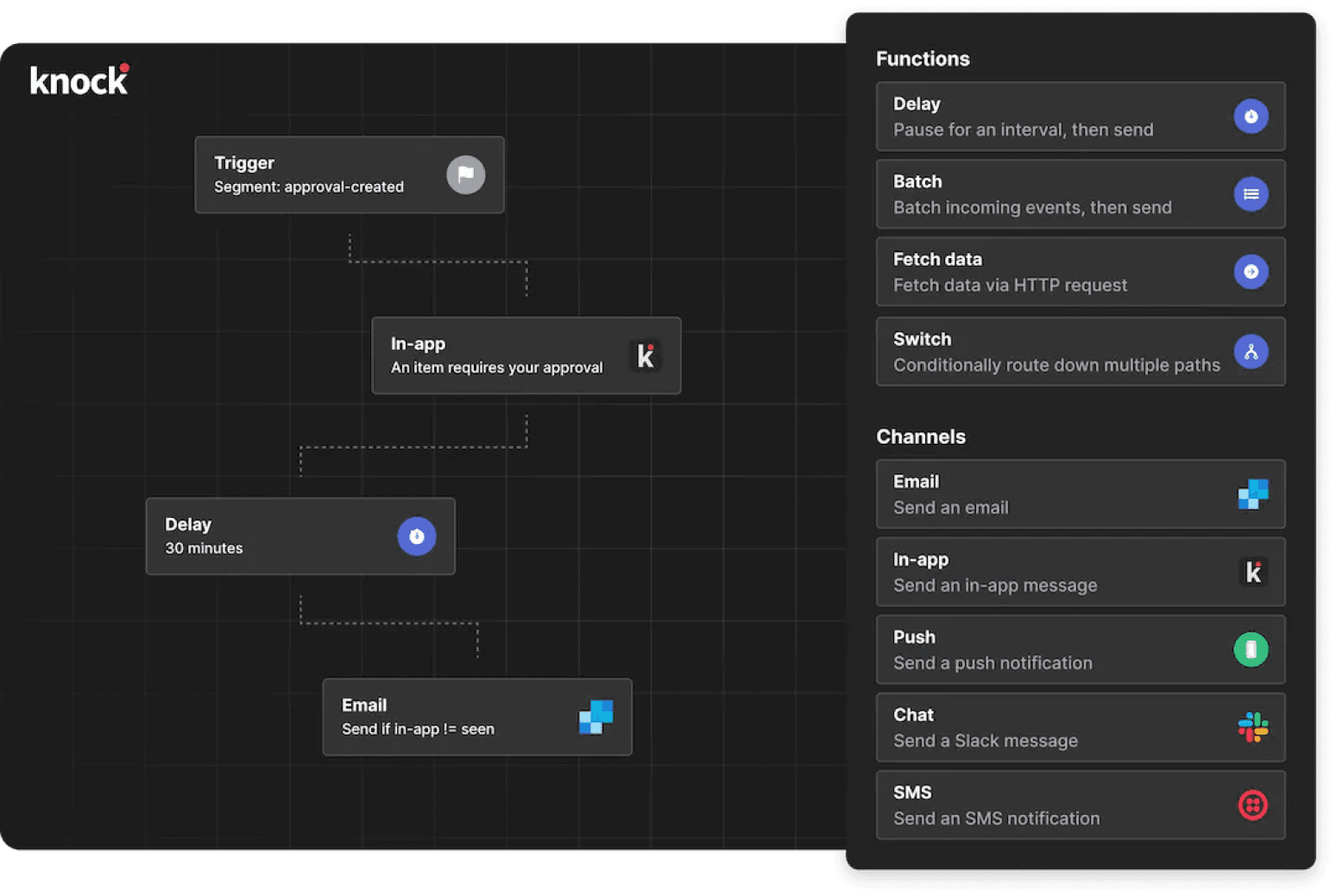
And with Knock’s API for managing user notification preferences, we have the ability to update email and web notification behavior without redeploying API infrastructure, making our iteration speed even faster.
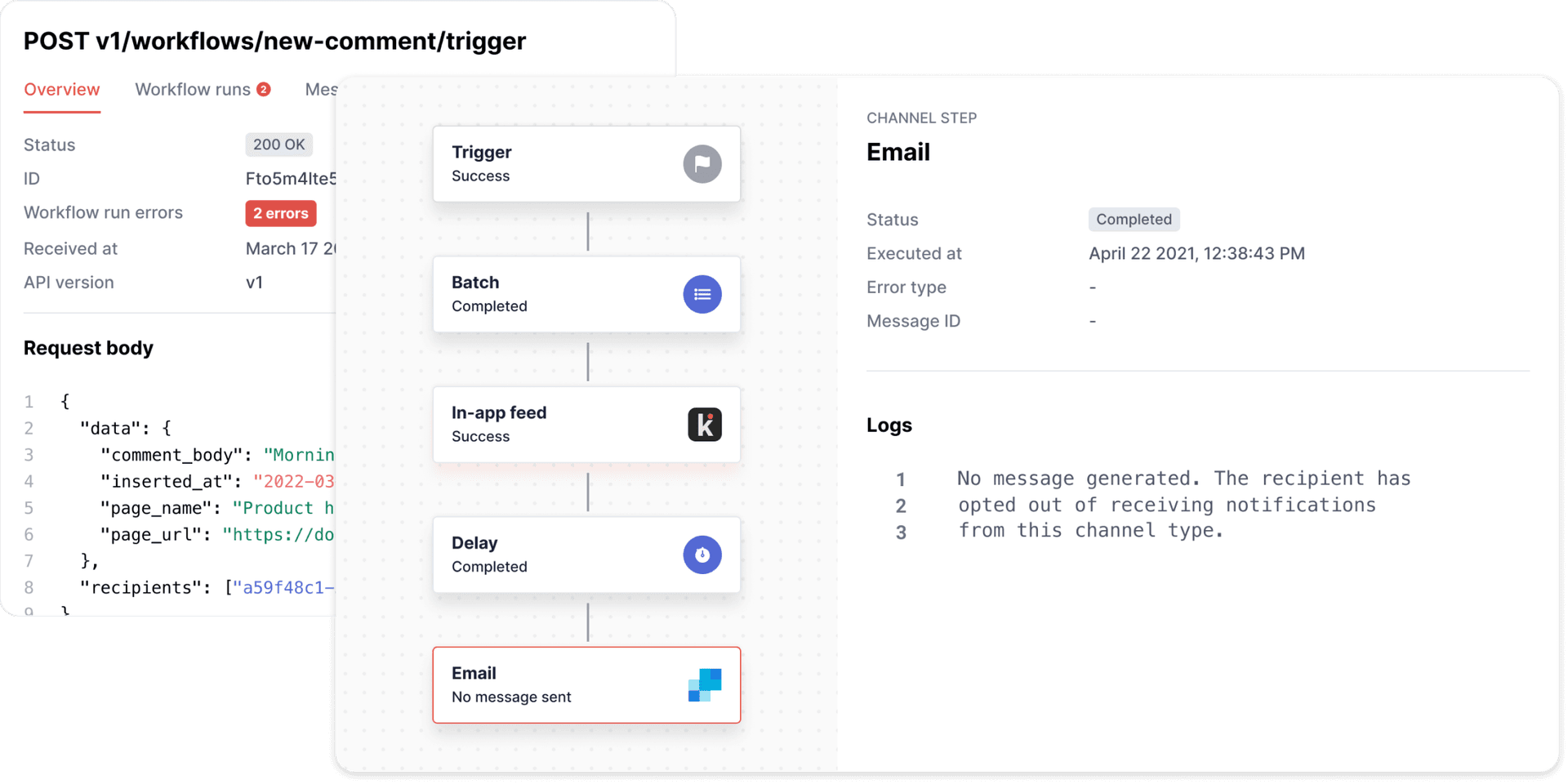
Additionally, Knock added value to Vercel internally. Customer success engineers can troubleshoot potential issues while product managers can update notification templates without needing to take time from engineering.
Link to headingUpdated notifications for your Vercel workflow
With customizable workflows, we're able to easily build notifications that work for our users and their workflows. With this release we’re introducing a number of new notification types to help you stay in the loop on your Vercel project. Here are a few highlights.
Notifications on deployment failure. You will now receive notifications when a deployment in your Vercel project fails. By default you’ll receive these notifications across email and your in-app feed, but you can configure where you want to receive deployment failures within your account settings.
Batched domain misconfiguration notifications. We’ve heard your feedback on domain misconfiguration notifications—they can get noisy. So we’re now using Knock’s batch function to reduce the volume of total notifications you’ll receive regarding domain misconfigurations. This ensures teams receive notifications in a more consumable manner without missing important signals from Vercel.
Going forward with our system built on Knock’s flexible infrastructure, we plan to continue iterating in this space. You'll soon see new batched notifications and more notification types, like comments on Preview Deployments, supported across all channels.
Configure your team's notification settings in your Vercel dashboard. Check out the docs to learn more.
Link to headingGet Started
Building with Knock's API made it easy for us to get a powerful in-app notification system that met our design, scale, and performance needs, without having to build from the ground up.
Get started with your own Knock notification system by adding the Vercel + Knock integration. When you connect a Vercel project to an account in Knock, Knock will automatically set the KNOCK_API_KEY and KNOCK_PUBLIC_API_KEY environment variables on your Vercel project.
Knock + Vercel IntegrationVercel's Knock integration gives you a scalable notification system in minutes.
Knock DocumentationJump into Knock's documentation to get started quickly with your first notification.
Vercel's integration marketplace is a great way to get started quickly with headless databases, commerce tools, CMSs and more. Or, build APIs into your application without any plugins or added configuration, simply by using Next.js API Routes. When deployed on Vercel, these are automatically deployed as Serverless Functions. Just push your code to get a powerful, scalable, and secure composable application.