


Giving your agents access to your tools, data, and services is what makes them useful. As agents perform deeper work across systems, authenticating and authorizing that access becomes central to your application architecture.
Today, agent access is usually granted through long-lived provider tokens stored in your environment variables, provisioned for everything your agent might need. These tokens are shared across every user, never expire, and give your agent full reach across every task, no matter how small the job.
A vault makes that token harder to steal. It doesn't make it less dangerous. The problem is what happens when the token leaks: everything it can touch is now exposed.
We built Vercel Connect to solve this problem. Now in Public Beta, Vercel Connect replaces the stored token with runtime credential exchange. You register a connector once. When your agent has work to do, your app proves its identity to Vercel Connect and gets back a short-lived credential, scoped to the task. Everything you used the token for still works. The agent just requests access each time instead of holding it.
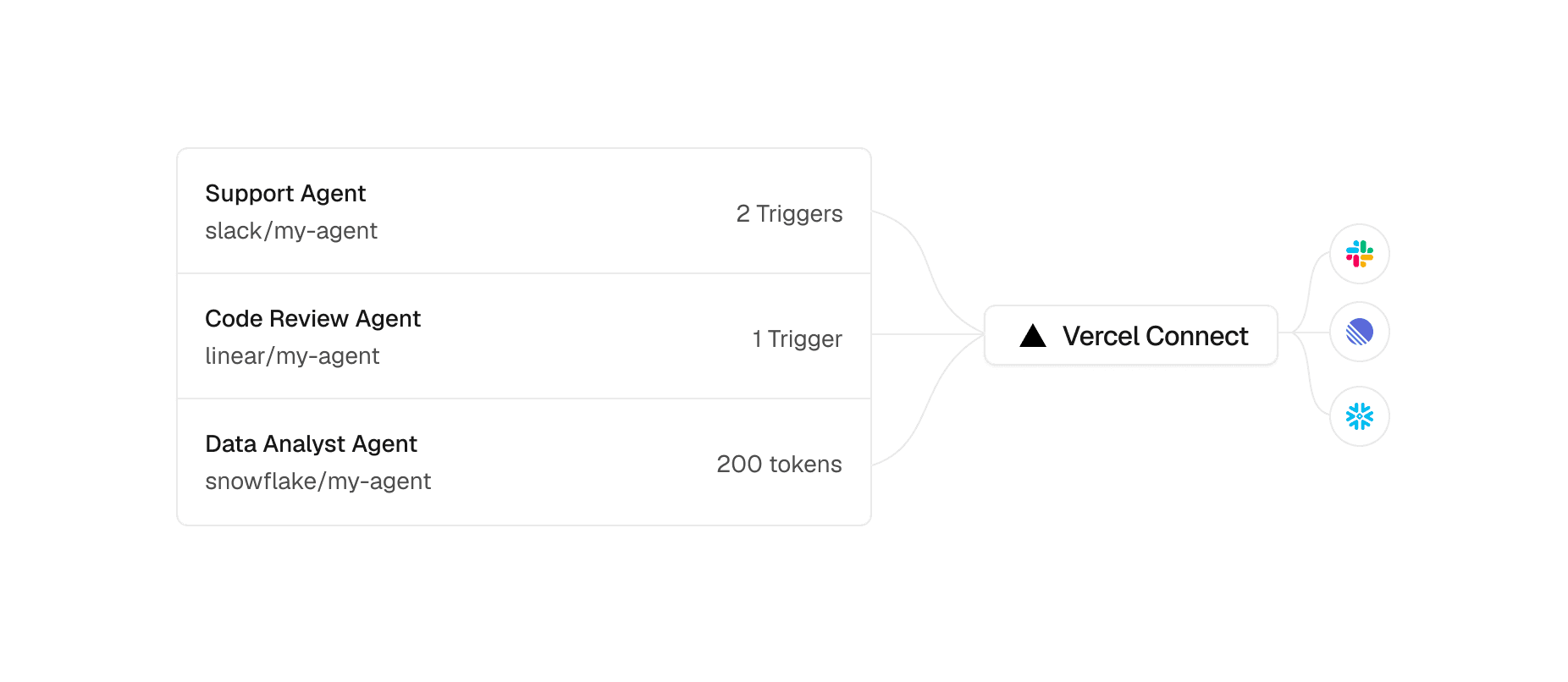
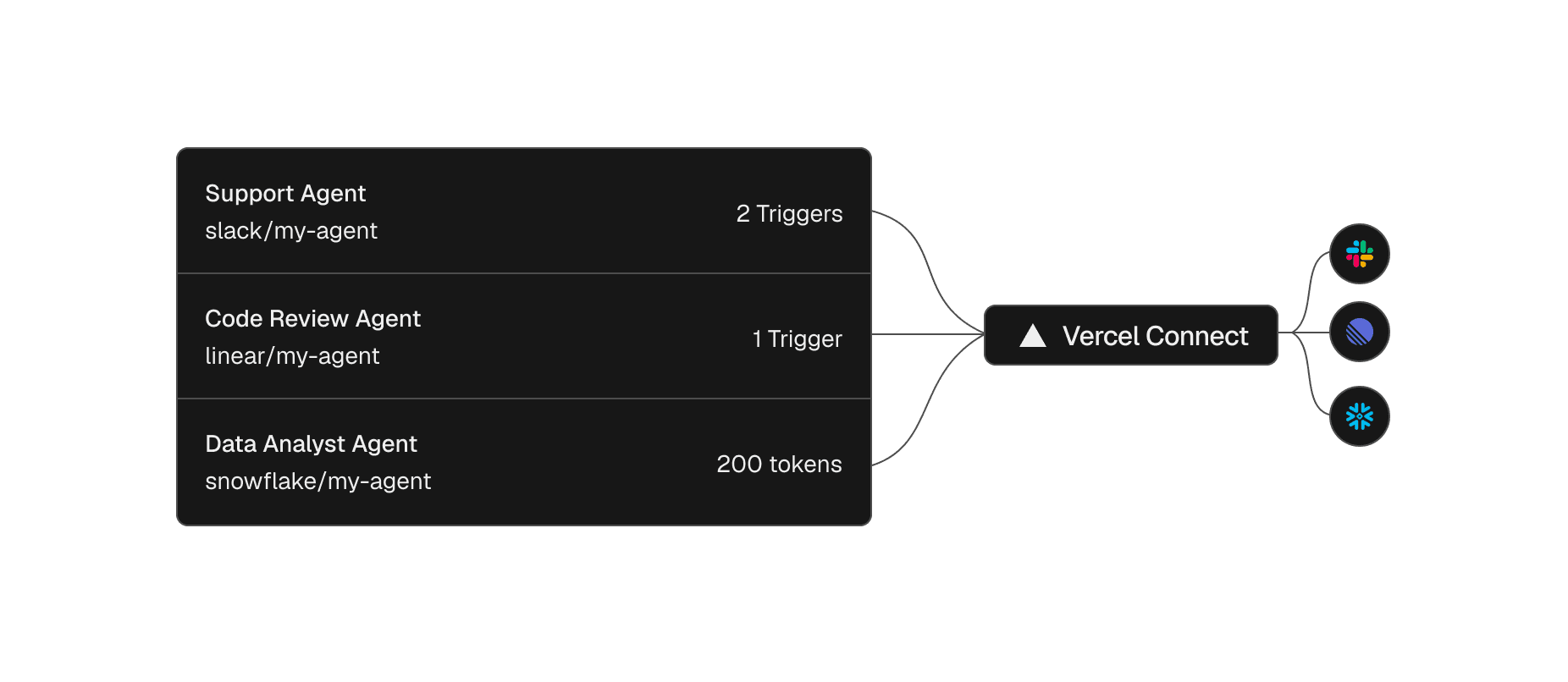
Copy link to headingRegister a connector once, then reuse it across projects and environments
A connector is a reusable connection between your Vercel team and a provider like Slack or GitHub. You create it once from the dashboard or the CLI, then attach it to the projects and environments that need it, with project-level access controls.
vercel connect create slack --name mybotCreate a Slack connector
The relationship with the provider becomes a single entity you can see and manage, not something scattered across a dozen environment variable panels where a rotation means hunting down every copy.
Your coding agent can run this setup too. Install the vercel-connect skill with npx skills add vercel/vercel-plugin --skill vercel-connect, and it can create and attach connectors for you.
Copy link to headingRequest scoped tokens at runtime
With a connector in place, the agent asks for a credential only when it has work to do. The @vercel/connect SDK returns a token you use immediately against the provider API, and no provider secret lives in your app.
import { getToken } from '@vercel/connect';const token = await getToken('slack/mybot', { subject: { type: 'app' },});Request a token at runtime
Tokens are short-lived, with a lifetime that depends on the provider. The SDK refreshes them automatically, so you never rotate a secret by hand. That leaves one question. If your app holds no secret, what proves it's allowed to ask?
Copy link to headingThe app proves its identity with OIDC
The proof is an identity your app already has. Every deployment on Vercel gets an OIDC identity, and when your app or agent requests a token, the SDK presents that identity to Vercel Connect. Vercel Connect verifies it, checks that the project and environment are allowed to use the connector, and returns the provider credential. That round trip is the runtime credential exchange.
The same identity is available during local development through vercel link and vercel env pull, and outside Vercel, the SDK accepts a Vercel access token. Either way, there is no provider secret in your app to leak, commit, or copy between environments.
Copy link to headingScope each token to exactly what the task needs
Not every task needs the same reach, even within a single agent. One step might read a repository while the next opens an issue. Each requests exactly the access it needs, and the request itself sets limits. A request can include:
Provider scopes
An installation ID
Resource restrictions
Provider-specific authorization details
GitHub is the sharpest example because it can restrict a token to specific repositories and permissions.
import { getToken } from '@vercel/connect';const token = await getToken('github/mybot', { subject: { type: 'app' }, authorizationDetails: [ { type: 'github_app_installation', repositories: ['myorg/repo1'], // one repo, not the whole org permissions: ['contents:read'], // read-only, not write }, ],});Scope a token to one repository, read-only
The deployment agent can read that one repository and do nothing else. A fine-grained GitHub App install can be narrow too, but an install is a standing grant, set up once and trusted from then on. This limit exists for one request, one task. Least privilege becomes the shape of the request.
Copy link to headingAct on behalf of a specific user, with per-user token scoping
A shared bot token gives every user's request the same identity and reach. Vercel Connect lets you set that identity. Switch subject from the app to a named user, and the token acts on that user's behalf, scoped to what that user authorized.
import { getToken } from '@vercel/connect';const token = await getToken('linear/mybot', { subject: { type: 'user', id: 'user_123' },});Request a token for a specific user
When a user first grants access, startAuthorization runs the consent flow through a callback URL, a webhook, or a device code. After that, the agent requests tokens as that user.
Copy link to headingContain access by environment, and revoke it when you need to
A connector is attached to the projects and environments you choose, so you can run a separate connector for development, preview, and production instead of pointing one at all three. When each environment has its own connector with an authorization grant and scopes, a credential compromised in development cannot be replayed against production.
Separate connectors limit where a credential works, but they don't pull back access already issued. That's normally the painful part. With a stored token, that means a rotation. You mint a new secret, update every place the old one lived, and redeploy whatever depended on it. With Vercel Connect, you revoke the connector's tokens, either your own or all of them.
# Revoke just your own tokens for a connectorvercel connect revoke-tokens slack/mybot --my-tokens# Or revoke every token, across all users and installationsvercel connect revoke-tokens slack/mybot --all-tokensRevoke a connector's tokens
What revoking does depends on the provider. Where the provider supports revocation, Vercel Connect revokes the token at the provider. Where it does not, Vercel Connect stops issuing new tokens for that grant, and a token already issued stays valid at the provider until it expires. That is a real limit on any provider without a revocation API, and the shorter the provider keeps its tokens, the smaller that window is.
Copy link to headingDrive event-driven agents from verified Slack triggers
So far, your agent has been the one reaching out. It requests a token and calls a service when it has work to do. Triggers run the other way. A connected service sends an event to your app, and your agent responds.
Vercel Connect receives the provider's webhook, verifies it, and forwards it to your project. Trigger forwarding is in beta and supports Slack, GitHub, and Linear today. A Slack connector can forward its verified webhooks to up to three of your projects, so a message in Slack can wake an agent that acts on it.
The flow runs end to end without a provider secret in your app:
A user posts a message in Slack.
Slack sends the event to Vercel Connect.
Vercel Connect verifies the event against the Slack signing secret it holds, then forwards it to your Vercel app, re-attested with its OIDC identity.
Your app verifies that attestation, then requests a scoped runtime token.
The agent acts and responds.
The Slack signing secret does not disappear. It moves server-side to Vercel Connect, which verifies the upstream webhook and re-signs the forwarded request with an identity your app can check. Your app holds no bot token to act with and no signing secret to verify against.
Copy link to headingVercel Connect meets your code where it already is
Underneath everything is one call. Whether your agent is built on the AI SDK, runs as a background job, or is a loop you wrote yourself, it asks for a token the same way, with getToken. Around that call are adapters for the stack you already run. Better Auth (@vercel/connect/betterauth) and Auth.js (@vercel/connect/authjs) get provider configs in the shape they expect, and @vercel/connect/ai-sdk and @vercel/connect/mcp do the same for AI SDK tools and MCP clients. The Nuxt starter gives you a working app to build on, with GitHub and Linear connected, no provider secret, and no OAuth refresh token stored in its database.
Frameworks can take this further and make the connection itself declarative. In eve, the open-source agent framework by Vercel, a connection is one file, and the @vercel/connect/eve adapter supplies that connection's credential.
import { defineMcpClientConnection } from "eve/connections";import { connect } from "@vercel/connect/eve";export default defineMcpClientConnection({ url: "https://mcp.linear.app/sse", auth: connect("linear/mybot"),});An eve connection to Linear over MCP
There is no token handling in the agent's code, because connect maps the consent flow, refresh, and error cases onto eve. Any MCP server that supports OAuth can become a connector by its URL, which is how mcp.linear.app ends up with the same scoped-token model as Slack or GitHub.
The same adapter wires a Slack channel. One connectSlackCredentials call covers both directions: the bot credentials for sending and the webhook verification for receiving.
import { slackRoute } from "eve/channels/slack";import { connectSlackCredentials } from "@vercel/connect/eve";export default slackRoute({ credentials: connectSlackCredentials("slack/mybot"),});An eve Slack channel
The two secrets a Slack integration usually keeps in your environment, SLACK_BOT_TOKEN and SLACK_SIGNING_SECRET, are gone from your app. There is nothing left to provision, store, or rotate.
Copy link to headingAccess becomes something you request, scoped to the task
An agent becomes more useful the more it can reach, which is exactly why access is the part to get right. Every system the agent can touch is a system someone could reach through a leaked token. With runtime credential exchange, nothing is provisioned for everything. Nothing is shared by every user. Nothing lasts forever. Nothing reaches past the task in front of it.
Credential management used to be architecture. It was rotation scripts, secrets copied between environments, and bot tokens broad enough that you hoped no one leaked them. Now you store none of it. You request access the moment the agent needs it, scoped to the task.
Start building with Vercel Connect
Register a connector, request your first runtime token, and connect an agent to Slack or GitHub without storing a provider secret.
Coding agents just need a prompt:
Set up Vercel Connect in this app so it can post to Slack without storing a Slack token. Install the vercel-connect skill with `npx skills add vercel/vercel-plugin --skill vercel-connect` and follow it. Read vercel.com/docs/connect.md for anything the skill does not cover. Link the project (`vercel link`) and pull a local OIDC token (`vercel env pull`), create a Slack connector with `vercel connect create slack --name mybot`, and attach it to this project. Then install @vercel/connect and request a token at runtime with getToken('slack/mybot', { subject: { type: 'app' } }). Use the token to post a test message to a channel I choose. Verify with the project's typecheck, and do not commit unless I ask.A starting prompt for your coding agent
Connect your first agent
Your deployment proves its identity over OIDC and gets back a short-lived token, scoped to one task. Works with Slack, GitHub, Linear, and any OAuth MCP server.
Get started
Copy link to headingFrequently asked questions
What is Vercel Connect?
Vercel Connect lets your agents and services access external systems on behalf of your users and teams. Instead of storing provider credentials in long-lived environment variables, you request user-authorized tokens at runtime with project-level access controls.
What problem does Vercel Connect solve?
It removes long-lived third-party secrets from your runtime while still letting agents act on external APIs. You register a connector for a provider, link it to projects and environments, and request provider tokens at runtime.
When should I use Vercel Connect instead of Integrations?
Use Vercel Integrations for marketplace-managed installs and provider-managed products in the Vercel Marketplace. Use Vercel Connect when you need delegated runtime credentials and user authorization for agent workflows, such as an agent that needs project-scoped access to a Slack workspace.
Which connectors are available?
Vercel Connect supports generic OAuth and API key connectors, plus dedicated connectors for Slack, GitHub, Linear, Discord, Notion, Salesforce, Figma, and Snowflake. Resend, Workday, Microsoft Teams, and more are coming soon.
How does pricing work?
Pricing is based on token requests. The Hobby plan includes 5K token requests per month at no additional cost. On Pro and Enterprise plans, token requests are billed at $3 per 10K token requests.
What are the current Beta limitations?
Trigger forwarding is limited to Slack, GitHub, and Linear, connector branding fields cannot be fully cleared after you set them, and token revocation, token lifetime, and scope granularity depend on provider support.