
Skip to content
VercelLogotypeVercelLogotype
LoginSign Up

Blue-Green Deployments on Vercel

See how Vercel's Skew Protection feature enables production-ready blue-green deployments with just a few lines of code.

DeployView Demo
A template to run blue-green deployments on Vercel.

Blue-Green deployments and canary deployments on Vercel

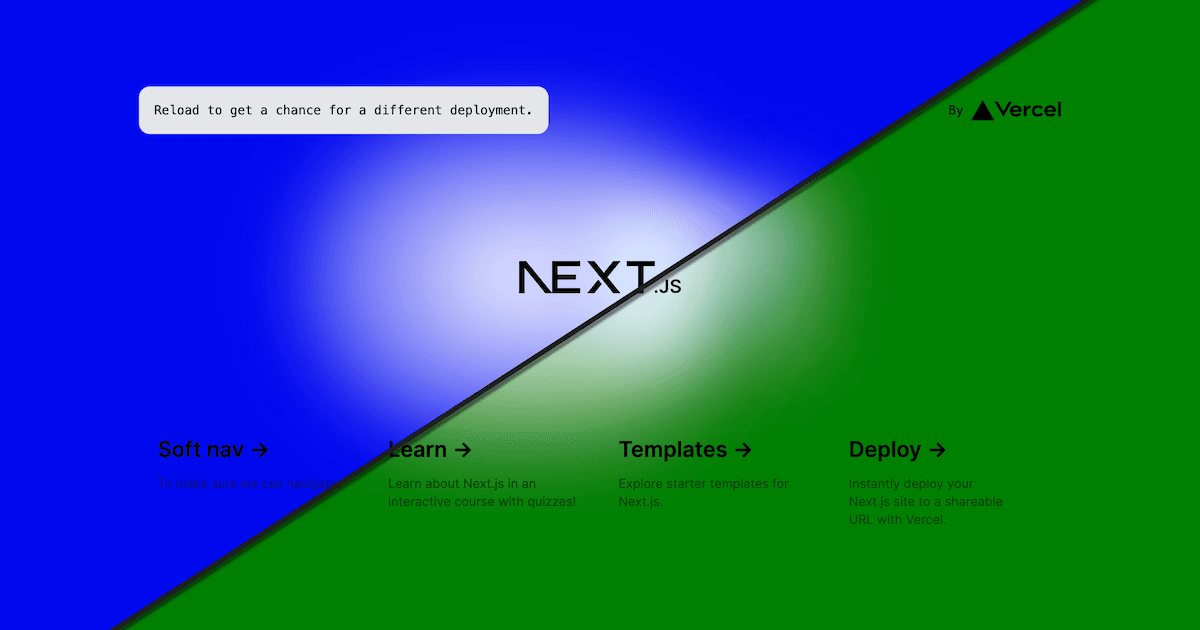
Blue-green deployments is a deployment strategy where you serve two versions of your application, "Blue" and "Green". You serve the current version of your application (Blue) and then you can then deploy a different version of your application (Green) without affecting the Blue environment.

Rolling Releases are a built-in feature of Vercel that let you configure blue-green deployments with no code changes. You can create automated or manual, multi-stage rollout strategies that integrate with Observability.

If you'd like to implement blue-green deployments yourself with lower-level primitives, you can use this template to do so.

  • Demo
  • Detailed guide

This keeps your Blue application running seamlessly for production users while you test and deploy to your Green application. When you're done testing and ready to serve user's your Green application, you can incrementally or fully switch to your new Green application with no perceptible change for your users.

This is typically done using load balancers to direct traffic, but with Vercel's generated urls you can instantly switch which application is served to users seamlessly using Skew Protection, Edge Config, and Middleware in Next.js. By using Skew Protection, the assignment to the blue or green deployments are sticky across Vercel's entire global CDN, edge functions, and serverless function infrastructure. This ensures users are never shuffling between the blue and green deployment in a given session.

The blue-green deployment strategy is great for managing risk, giving you the ability to gradually roll out a new version of your application (including breaking changes) or go back to using the previous version instantaneously.

Getting started

  • Deploy this template
  • Activate Skew Protection for the project
  • Activate Deployment protection bypass for the project
  • Create an Edge Config
  • Use the following Edge Config settings:
{
"blue-green-configuration": {
"deploymentDomainBlue": "https://blue-green-61yvm4f5d.vercel.rocks",
"deploymentDomainGreen": "https://blue-green-nq2hvhtsv.vercel.rocks",
"trafficGreenPercent": 50
}
}

The fields deploymentDomainBlue and deploymentDomainGreen must be valid deployment domains for your projects.

See this project's middleware.ts file for the logic implementing the blue-green logic.

Executing a blue-green deployment

With both deployments using the same Middleware in this project, Vercel will only serve the deployment specified in your Edge Config.

The simplest way to perform a blue-green deployment would be to manually update the Edge Config. Upon saving it, the new deployments will begin serving.

For CI/CD-driven blue-green deployments, you can automate deployments using the Edge Config API in your CI/CD pipeline. You can see a working example of this in action by viewing the GitHub Action in this project. It creates new deployments and updates the Edge Config with the new deployment urls.
GitHub
Ownervercel-labs
Repositoryblue-green
Use Cases
Edge Middleware
Stack
Next.js
None

Related Templates

A/B Testing Simple

By A/B testing at the edge, you'll reduce CLS from client-loaded experiments and improve your site's performance with smaller JS bundles.
A/B Testing Simple thumbnail

A/B Testing with ConfigCat

ConfigCat is a service for feature flag and configuration management. In this template you'll be able to use feature flags at the edge.
A/B Testing with ConfigCat thumbnail

Agent Stack

  • AI SDK
  • AI Gateway
  • Sandbox
  • Workflows
  • EveNew
  • ConnectNew

Core Platform

  • CI/CD
  • Content Delivery
  • Fluid Compute
  • Observability

Security

  • Platform Security
  • WAF
  • Bot Management
  • Bot ID

Tools

  • Vercel DropNew
  • Vercel Agent
  • Vercel PluginNew
  • Next.js
  • Domains
  • v0

Frameworks

  • Nuxt
  • SvelteKit
  • Nitro
  • Turborepo
  • Tanstack Start
  • FastAPI
  • xmcp
  • All frameworks

SDKs

  • Vercel SDK
  • Workflow SDKNew
  • Flags SDK
  • Chat SDKNew
  • Queues SDKNew
  • Streamdown

Build

  • AI Apps
  • Web Apps
  • Marketing Sites
  • Platforms
  • Commerce
  • Platform Engineers
  • Design Engineers

Learn

  • Docs
  • Blog
  • Changelog
  • Knowledge Base
  • Academy
  • Articles
  • Community

Explore

  • Customers
  • Marketplace
  • Templates
  • Partner Finder
  • Vercel + AWS

Company

  • About
  • Careers
  • Press
  • Events
  • Startups
  • Shipped on Vercel
  • Open Source Program
  • Enterprise
  • Pricing
  • Help

Legal & Trust

  • Privacy Policy
  • Terms of Service
  • Cookie Policy
  • DPA
  • Acceptable Use Policy
  • Legal (all documents)
  • Trust Center
  • Status

Social

  • GitHub
  • X
  • LinkedIn
  • YouTube
  • Instagram
  • VercelVercel
Agent Stack
  • AI SDK
  • AI Gateway
  • Sandbox
  • Workflows
  • Eve
Core Platform
  • Security
  • Content Delivery
  • Fluid Compute
  • Observability
  • CI/CD
Tools
  • Next.js
  • Vercel Agent
  • Vercel Plugin
  • Domains
  • v0
Learn
  • Docs
  • About
  • Blog
  • Changelog
  • Knowledge Base
Build
  • AI Apps
  • Web Apps
  • Marketing Sites
  • Platforms
  • Commerce
Explore
  • Customers
  • Marketplace
  • Partner Finder
  • AWS
  • Community
EnterprisePricing
Contact
Log InSign Up
Dashboard

Products

Agent Stack

  • AI SDK
  • AI Gateway
  • Sandbox
  • Workflows
  • Eve

Core Platform

  • Security
  • Content Delivery
  • Fluid Compute
  • Observability
  • CI/CD

Tools

  • Next.js
  • Vercel Agent
  • Vercel Plugin
  • Domains
  • v0
Resources

Learn

  • Docs
  • About
  • Blog
  • Changelog
  • Knowledge Base

Build

  • AI Apps
  • Web Apps
  • Marketing Sites
  • Platforms
  • Commerce

Explore

  • Customers
  • Marketplace
  • Partner Finder
  • AWS
  • Community
Enterprise
Pricing
Sign UpLog In
Contact
DeployView Demo

Loading status…

Select a display theme: