Skip to content
VercelLogotypeVercelLogotype
LoginSign Up

x402 AI Starter

A fullstack template for using x402 with MCP and AI SDK.

DeployView Demo
This is an auto-uploaded thumbnail from https://vercel.com/templates/submit.

x402 Next.js + AI Starter Kit

x402 is a new protocol built on top of HTTP for doing fully accountless payments easily, quickly, cheaply and securely.

This template built with Next.js, AI SDK, AI Elements, and AI Gateway and the Coinbase CDP shows off using x402 with a modern AI stack.

Demo: https://x402-ai-starter.vercel.app/

Features

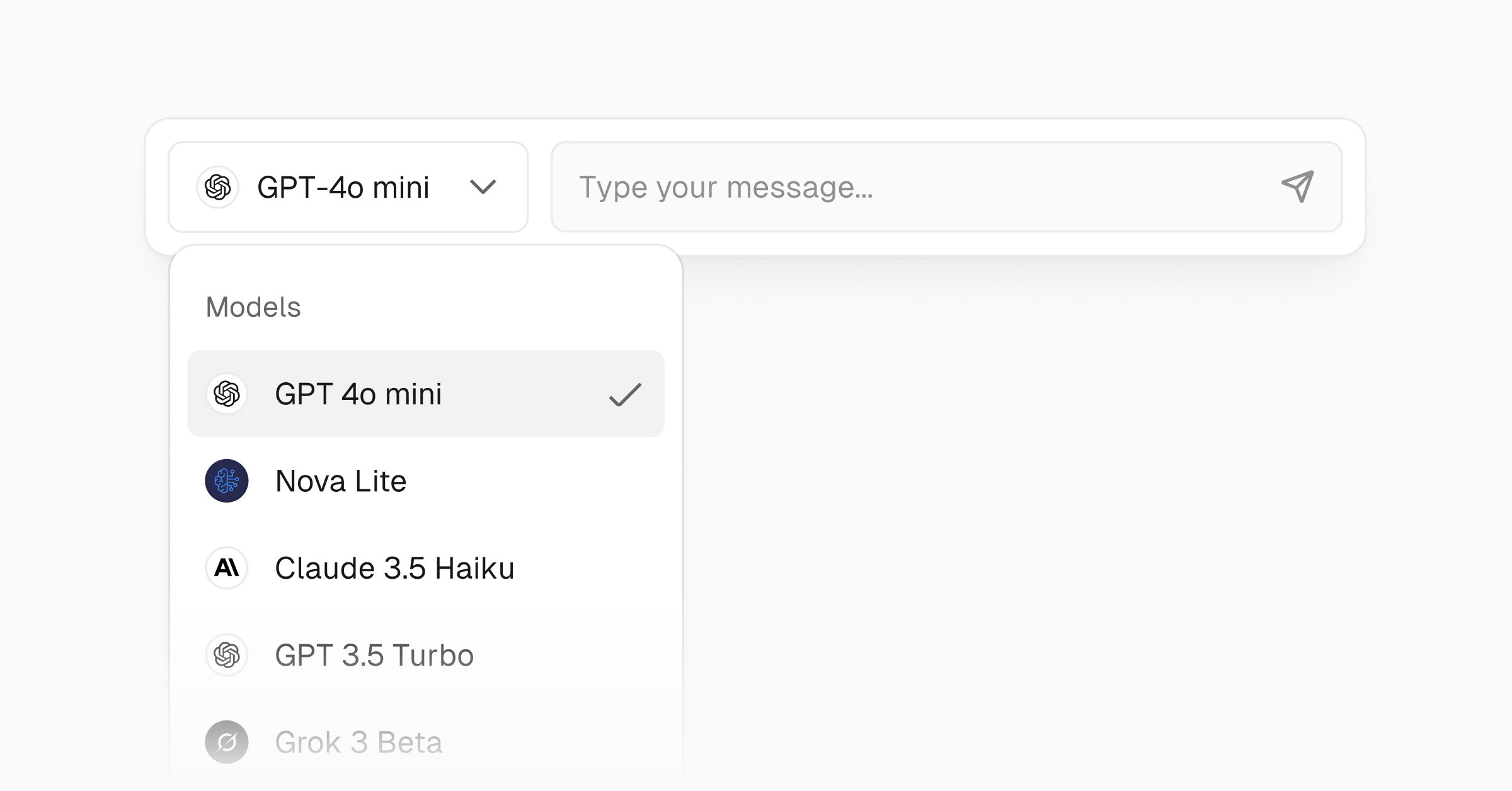
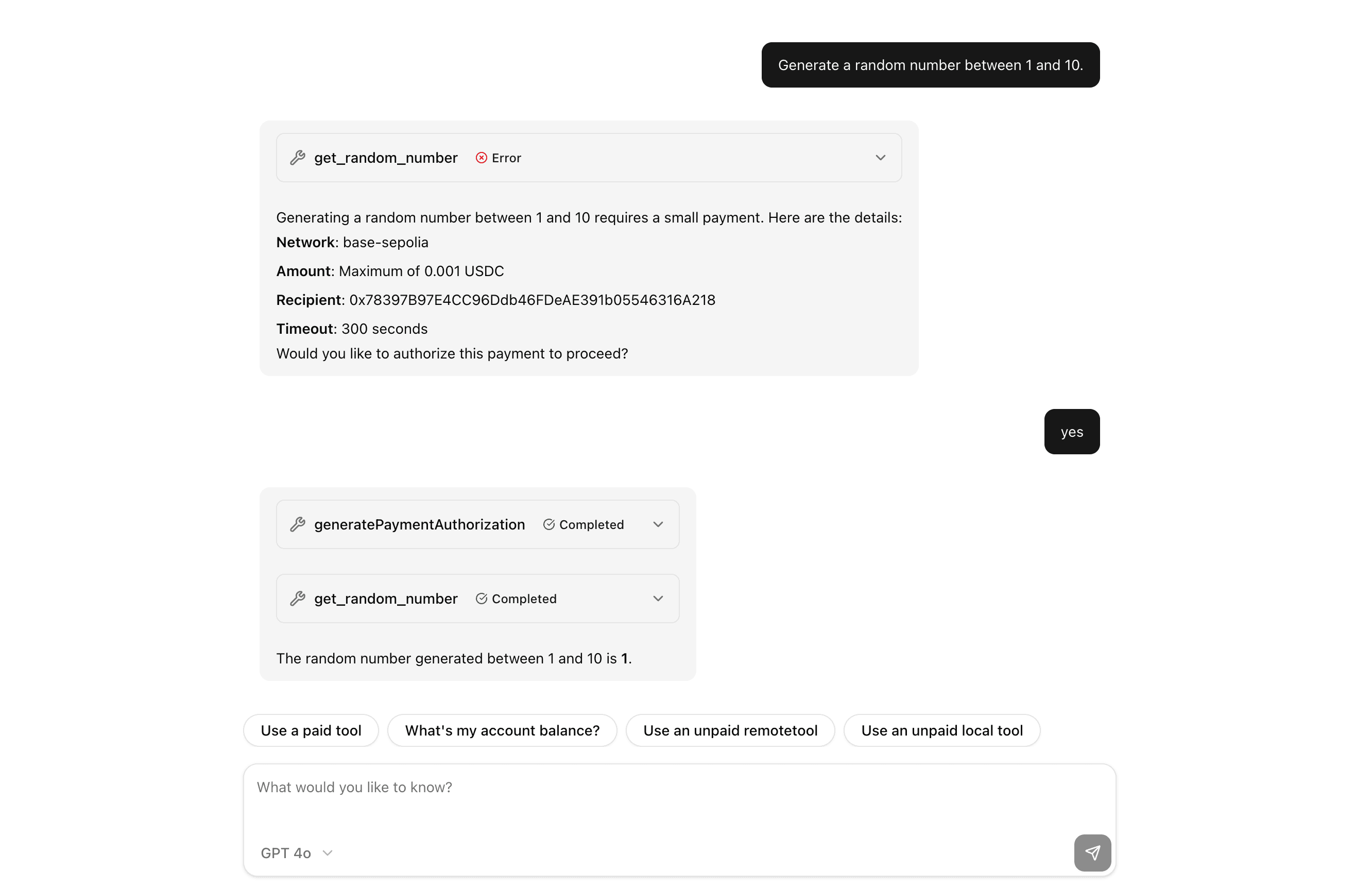
  • AI Chat + API playground to see x402 in action
  • AI agent that can pay for tools
  • Remote MCP server with "paid" tools
  • Paywalled APIs
  • Paywalled pages (for bots)
  • Secure server managed wallets

Tech Stack

  • Next.js
  • AI SDK
  • AI Elements
  • AI Gateway
  • Coinbase CDP
  • x402

Getting Started

git clone https://github.com/vercel-labs/x402-ai-starter
cd x402-ai-starter
pnpm install

Running Locally

  1. Sign into the Coinbase CDP portal

  2. Following .env.example, set the following environment variables in .env.local:

  • CDP_API_KEY_ID
  • CDP_API_KEY_SECRET
  • CDP_WALLET_SECRET

Using AI Gateway requires either a Vercel OIDC token, or an API Key. To get an OIDC token, simply run vc link then vc env pull. An API can be obtained from the AI Gateway dashboard.

Using AI Gateway isn't required, you can use any AI SDK model provider and its associated credentials.

  1. Run pnpm dev

  2. Open http://localhost:3000 in your browser to see the app in action.

Testing Payments

By default, the app uses the base-sepolia network, or "testnet". This is a testing network with fake money. The app is configured to automically request more funds from a faucet (source of testnet money) when your account is running low. You can also do this yourself in the Coinbase CDP dashboard.

Going to Production

When you're ready to deploy your SaaS application to production, follow these steps:

Deploy to Vercel

  1. Push your code to a GitHub repository.
  2. Connect your repository to Vercel and deploy it.
  3. Follow the Vercel deployment process, which will guide you through setting up your project.

Add environment variables

In your Vercel project settings (or during deployment), add all the necessary environment variables. Make sure to update the values for the production environment, including:

  • CDP_API_KEY_ID
  • CDP_API_KEY_SECRET
  • CDP_WALLET_SECRET

Moving to mainnet

To move to mainnet, set the NETWORK environment variable to base.

Make sure that the Purchaser account has enough funds to pay for the tools you're using. To fund the account, you can send USDC to the account's address in the Coinbase CDP dashboard.

GitHub
Ownervercel-labs
Repositoryx402-ai-starter
Use Cases
AI
Web3
Stack
Next.js
Tailwind

Related Templates

Wallet Manager with Coinbase Developer Platform

Wallet manager dashboard built with Coinbase Developer Platform to create and manage wallets, track balances, and fund wallets.
Wallet Manager with Coinbase Developer Platform thumbnail

MCP with Next.js

Run an Model Context Protocol (MCP) server on Vercel with Next.js.
MCP with Next.js thumbnail

Vercel AI Gateway Demo

An open-source AI chatbot built with Next.js, the AI SDK, and the AI Gateway.
Vercel AI Gateway Demo thumbnail

Agent Stack

  • AI SDK
  • AI Gateway
  • Sandbox
  • Workflows
  • EveNew
  • ConnectNew

Core Platform

  • CI/CD
  • Content Delivery
  • Fluid Compute
  • Observability

Security

  • Platform Security
  • WAF
  • Bot Management
  • Bot ID

Tools

  • Vercel DropNew
  • Vercel Agent
  • Vercel PluginNew
  • Next.js
  • Domains
  • v0

Frameworks

  • Nuxt
  • SvelteKit
  • Nitro
  • Turborepo
  • Tanstack Start
  • FastAPI
  • xmcp
  • All frameworks

SDKs

  • Vercel SDK
  • Workflow SDKNew
  • Flags SDK
  • Chat SDKNew
  • Queues SDKNew
  • Streamdown

Build

  • AI Apps
  • Web Apps
  • Marketing Sites
  • Platforms
  • Commerce
  • Platform Engineers
  • Design Engineers

Learn

  • Docs
  • Blog
  • Changelog
  • Knowledge Base
  • Academy
  • Articles
  • Community

Explore

  • Customers
  • Marketplace
  • Templates
  • Partner Finder
  • Vercel + AWS

Company

  • About
  • Careers
  • Press
  • Events
  • Startups
  • Shipped on Vercel
  • Open Source Program
  • Enterprise
  • Pricing
  • Help

Legal & Trust

  • Privacy Policy
  • Terms of Service
  • Cookie Policy
  • DPA
  • Acceptable Use Policy
  • Legal (all documents)
  • Trust Center
  • Status

Social

  • GitHub
  • X
  • LinkedIn
  • YouTube
  • Instagram
  • VercelVercel
Agent Stack
  • AI SDK
  • AI Gateway
  • Sandbox
  • Workflows
  • Eve
Core Platform
  • Security
  • Content Delivery
  • Fluid Compute
  • Observability
  • CI/CD
Tools
  • Next.js
  • Vercel Agent
  • Vercel Plugin
  • Domains
  • v0
Learn
  • Docs
  • About
  • Blog
  • Changelog
  • Knowledge Base
Build
  • AI Apps
  • Web Apps
  • Marketing Sites
  • Platforms
  • Commerce
Explore
  • Customers
  • Marketplace
  • Partner Finder
  • AWS
  • Community
EnterprisePricing
Contact
Log InSign Up
Dashboard

Products

Agent Stack

  • AI SDK
  • AI Gateway
  • Sandbox
  • Workflows
  • Eve

Core Platform

  • Security
  • Content Delivery
  • Fluid Compute
  • Observability
  • CI/CD

Tools

  • Next.js
  • Vercel Agent
  • Vercel Plugin
  • Domains
  • v0
Resources

Learn

  • Docs
  • About
  • Blog
  • Changelog
  • Knowledge Base

Build

  • AI Apps
  • Web Apps
  • Marketing Sites
  • Platforms
  • Commerce

Explore

  • Customers
  • Marketplace
  • Partner Finder
  • AWS
  • Community
Enterprise
Pricing
Sign UpLog In
Contact
DeployView Demo

Loading status…

Select a display theme: