Skip to content
VercelLogotypeVercelLogotype
LoginSign Up

OpenAI AI-Powered Slackbot with GPT

Build an AI-powered Slackbot with Node.js and Vercel Functions.

DeployView Demo

OpenAI Slackbot with Node.js

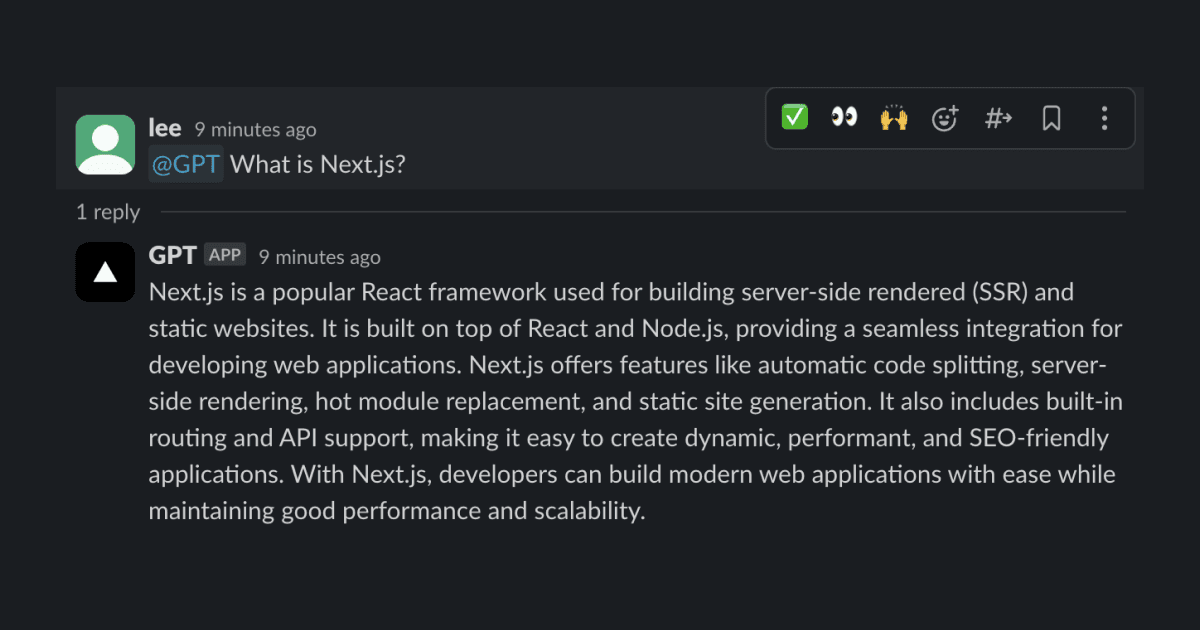
This is a Slackbot you can ask questions and get answers from OpenAI's GPT model.

Environment Variables

After completing the setup instructions below, you will have the following .env file in your project for testing locally, and the same environment variables added on Vercel:

OPENAI_API_KEY=
SLACK_BOT_TOKEN=
SLACK_SIGNING_SECRET=
SLACK_ADMIN_MEMBER_ID=

OpenAI API Key

  • Create a new key on OpenAI API Keys and "Create new secret key", optionally naming the key.
  • Add the key to Vercel's environment variables as OPENAI_API_KEY.

Slack Bot Token & Signing Secret

Go to Slack API Apps Page:

  • Create new App
    • From Scratch
    • Name your app & pick a workspace
  • Go to OAuth & Permissions
    • Scroll to scopes
    • Add the following scopes
      • app_mentions:read
      • channels:history
      • chat:write
      • commands
    • Click "Install to Workplace"
    • Copy Bot User OAuth Token
    • Add the token to Vercel's environment variables as SLACK_BOT_TOKEN
  • Getting signing secret
    • Basic Information --> App Credentials --> Copy Signing Secret
    • Add the secret to Vercel's environment variables as SLACK_SIGNING_SECRET

Admin's Slack Member ID

  • Click on your profile picture in Slack and click Profile.
  • Click on the three dots in the middle right corner and select Copy member ID.
  • Add the ID to Vercel's environment variables as SLACK_ADMIN_MEMBER_ID.

Enable Slack Events

After successfully deploying the app, go to Slack API Apps Page and select your app:

  • Go to Event Subscriptions and enable events.
  • Add the following URL to Request URL:
    • https://<your-vercel-app>.vercel.app/api/events
    • Make sure the URL is verified, otherwise check out Vercel Logs for troubleshooting.
    • Subscribe to bot events by adding:
      • app_mention
      • channel_created
    • Click Save Changes.
  • Slack requires you to reinstall the app to apply the changes.

Local Development

Use the Vercel CLI and localtunnel to test out this project locally:

pnpm i -g vercel
pnpm vercel dev --listen 3000 --yes
npx localtunnel --port 3000

Make sure to modify the subscription URL to the localtunnel URL.
GitHub
Ownervercel
Repositoryexamples
LicenseView License
Use Cases
AI
Stack
Other
None

Related Templates

Chatbot UI

A ChatGPT clone for running locally in your browser.
Chatbot UI thumbnail

Scribble Diffusion

Turn your rough sketch into a refined image using AI. Powered by Replicate and ControlNet.
Scribble Diffusion thumbnail

Agent Stack

  • AI SDK
  • AI Gateway
  • Sandbox
  • Workflows
  • EveNew
  • ConnectNew

Core Platform

  • CI/CD
  • Content Delivery
  • Fluid Compute
  • Observability

Security

  • Platform Security
  • WAF
  • Bot Management
  • Bot ID

Tools

  • Vercel DropNew
  • Vercel Agent
  • Vercel PluginNew
  • Next.js
  • Domains
  • v0

Frameworks

  • Nuxt
  • SvelteKit
  • Nitro
  • Turborepo
  • Tanstack Start
  • FastAPI
  • xmcp
  • All frameworks

SDKs

  • Vercel SDK
  • Workflow SDKNew
  • Flags SDK
  • Chat SDKNew
  • Queues SDKNew
  • Streamdown

Build

  • AI Apps
  • Web Apps
  • Marketing Sites
  • Platforms
  • Commerce
  • Platform Engineers
  • Design Engineers

Learn

  • Docs
  • Blog
  • Changelog
  • Knowledge Base
  • Academy
  • Articles
  • Community

Explore

  • Customers
  • Marketplace
  • Templates
  • Partner Finder
  • Vercel + AWS

Company

  • About
  • Careers
  • Press
  • Events
  • Startups
  • Shipped on Vercel
  • Open Source Program
  • Enterprise
  • Pricing
  • Help

Legal & Trust

  • Privacy Policy
  • Terms of Service
  • Cookie Policy
  • DPA
  • Acceptable Use Policy
  • Legal (all documents)
  • Trust Center
  • Status

Social

  • GitHub
  • X
  • LinkedIn
  • YouTube
  • Instagram
  • VercelVercel
Agent Stack
  • AI SDK
  • AI Gateway
  • Sandbox
  • Workflows
  • Eve
Core Platform
  • Security
  • Content Delivery
  • Fluid Compute
  • Observability
  • CI/CD
Tools
  • Next.js
  • Vercel Agent
  • Vercel Plugin
  • Domains
  • v0
Learn
  • Docs
  • About
  • Blog
  • Changelog
  • Knowledge Base
Build
  • AI Apps
  • Web Apps
  • Marketing Sites
  • Platforms
  • Commerce
Explore
  • Customers
  • Marketplace
  • Partner Finder
  • AWS
  • Community
EnterprisePricing
Contact
Log InSign Up
Dashboard

Products

Agent Stack

  • AI SDK
  • AI Gateway
  • Sandbox
  • Workflows
  • Eve

Core Platform

  • Security
  • Content Delivery
  • Fluid Compute
  • Observability
  • CI/CD

Tools

  • Next.js
  • Vercel Agent
  • Vercel Plugin
  • Domains
  • v0
Resources

Learn

  • Docs
  • About
  • Blog
  • Changelog
  • Knowledge Base

Build

  • AI Apps
  • Web Apps
  • Marketing Sites
  • Platforms
  • Commerce

Explore

  • Customers
  • Marketplace
  • Partner Finder
  • AWS
  • Community
Enterprise
Pricing
Sign UpLog In
Contact
DeployView Demo

Loading status…

Select a display theme: